Guide / Settle up
Settle up
1
Open Settle up
Tap the Settle up icon at the top of the Split tab. Chiipin only keeps the record, so pay the person however you normally would. No money moves through the app.
Split > Settle up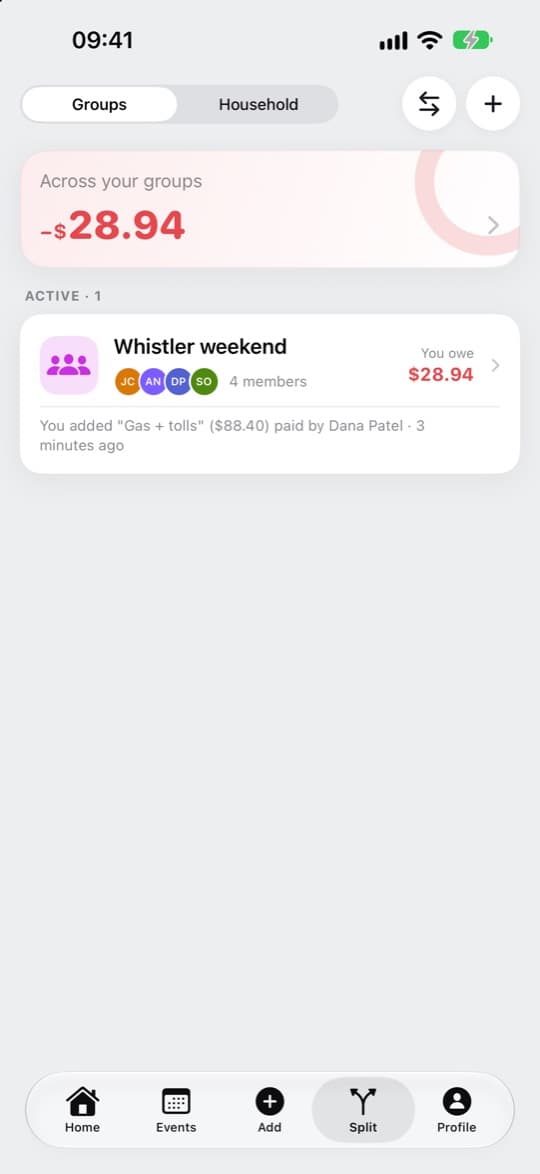
2
Record a payment
Tap the + and pick the person. You don’t type the amount: it comes from the bills between you, so it always matches them.
Settle up > + > Record a payment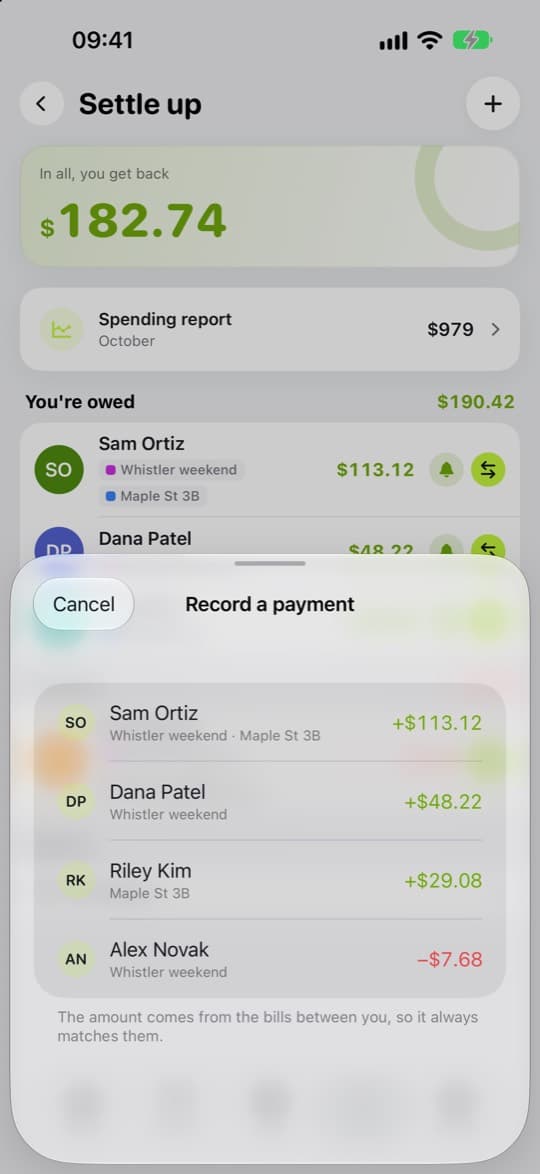
3
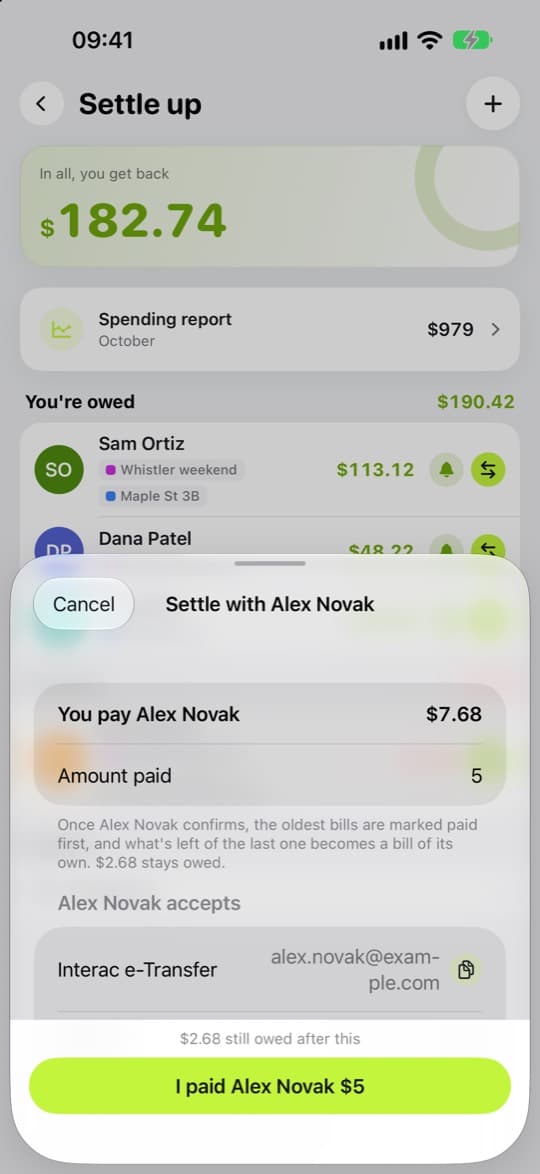
Paid only some of it?
Choose Pay part of it and enter the Amount paid. Chiipin shows what’s still owed after this.
4
Confirm what you received
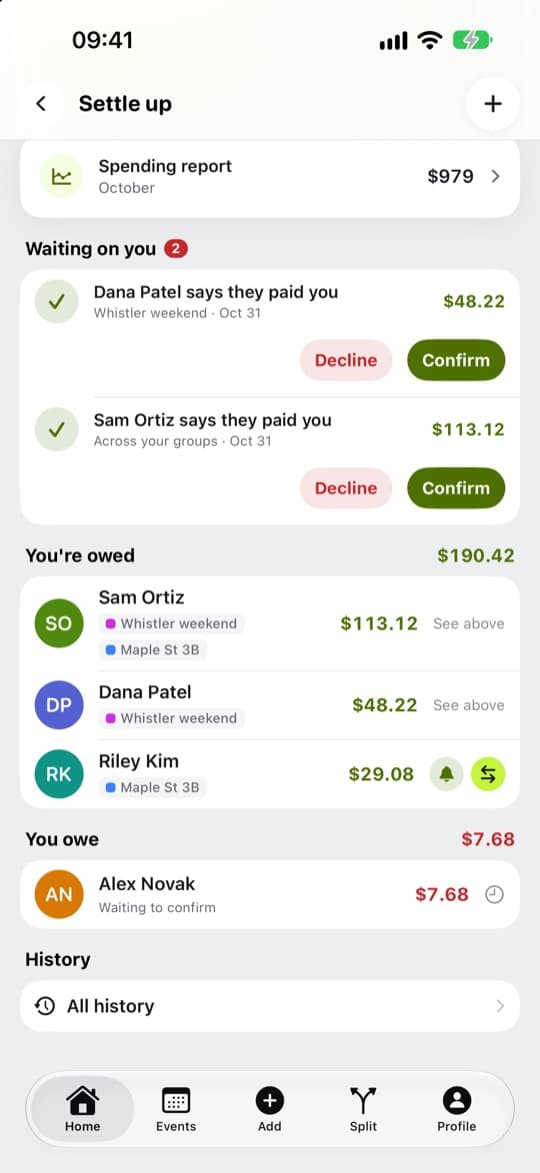
When someone records a payment to you, it appears under Waiting on you. Tap Confirm if the money arrived, or Decline if it didn’t.
5
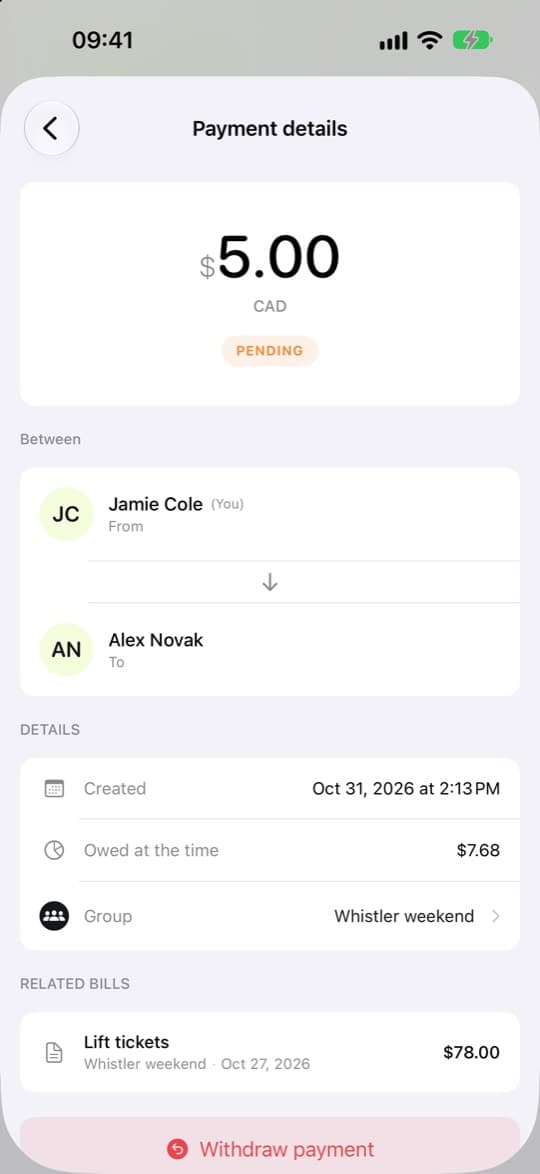
Made a mistake?
Open the payment and choose Withdraw payment.